Know what you grant.
Review the account and provider permissions before connecting a broker. Read how access can be revoked.
 Open platform
 For traders who work with explicit rules. Bring your strategy or build with AI, review the risk, and keep the reasoning behind the decision in one workspace.
Find us at app.unmoved.ai

Strategy preparation → Review → Risk checks → Records
A WORKSPACE THAT STARTS WITH YOU
Start with the approach that fits you.
Keep the strategy, the rules and the review together.
Bring your logic into a structured conversion and review workflow.
02 / BUILD ITWork through what you mean, what’s missing and which rules need defining.
03 / EXAMINE ITFollow the strategy through review, shadow observations and activity.
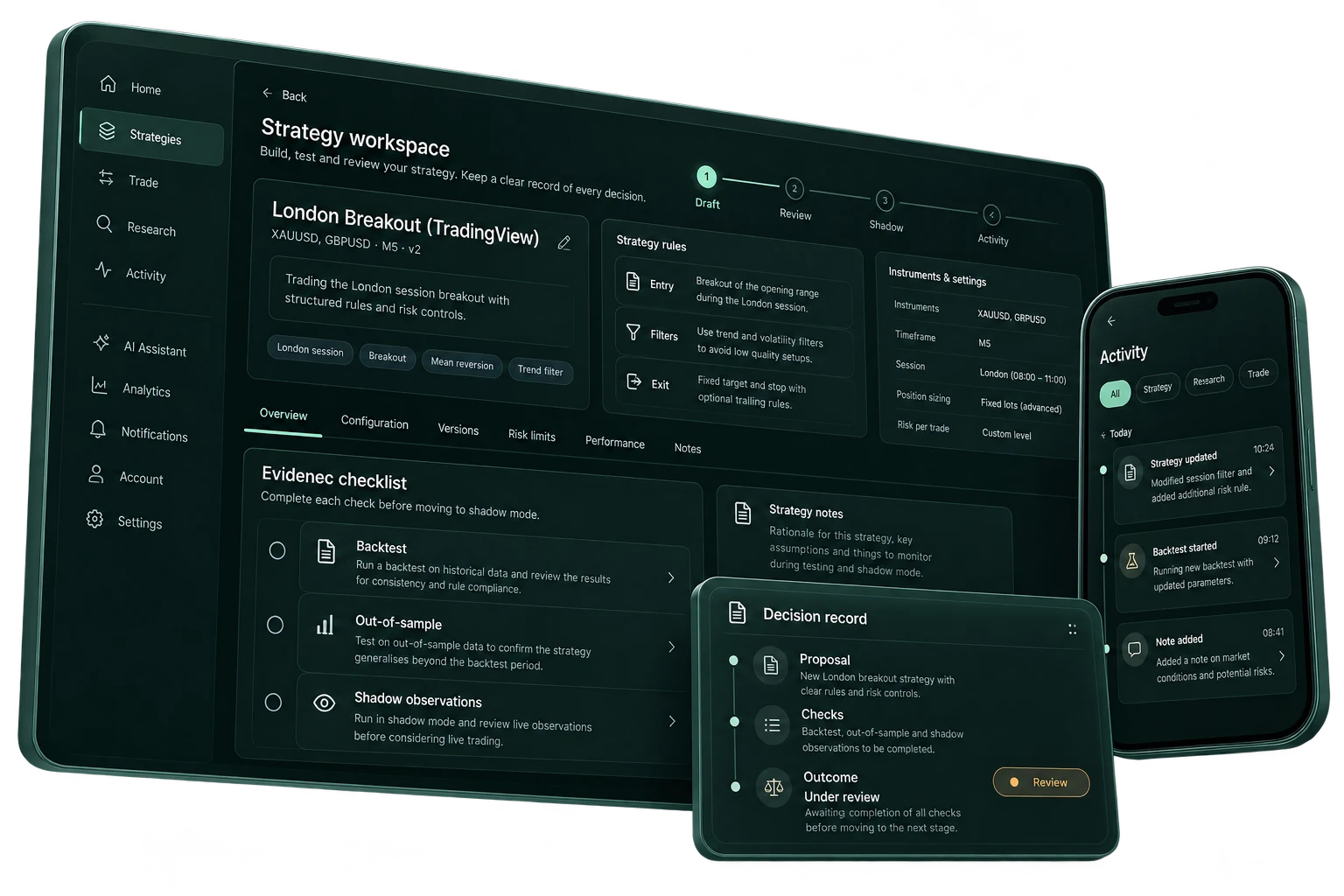
FROM YOUR APPLICATION SCREENS
See the interface behind the workflow.
Read the logic before the next action.
Describe the strategy, inspect what was understood and identify missing assumptions before treating an idea as a set of rules.
Screens show sample data. No model is called by this walkthrough.
Explore the platform ↗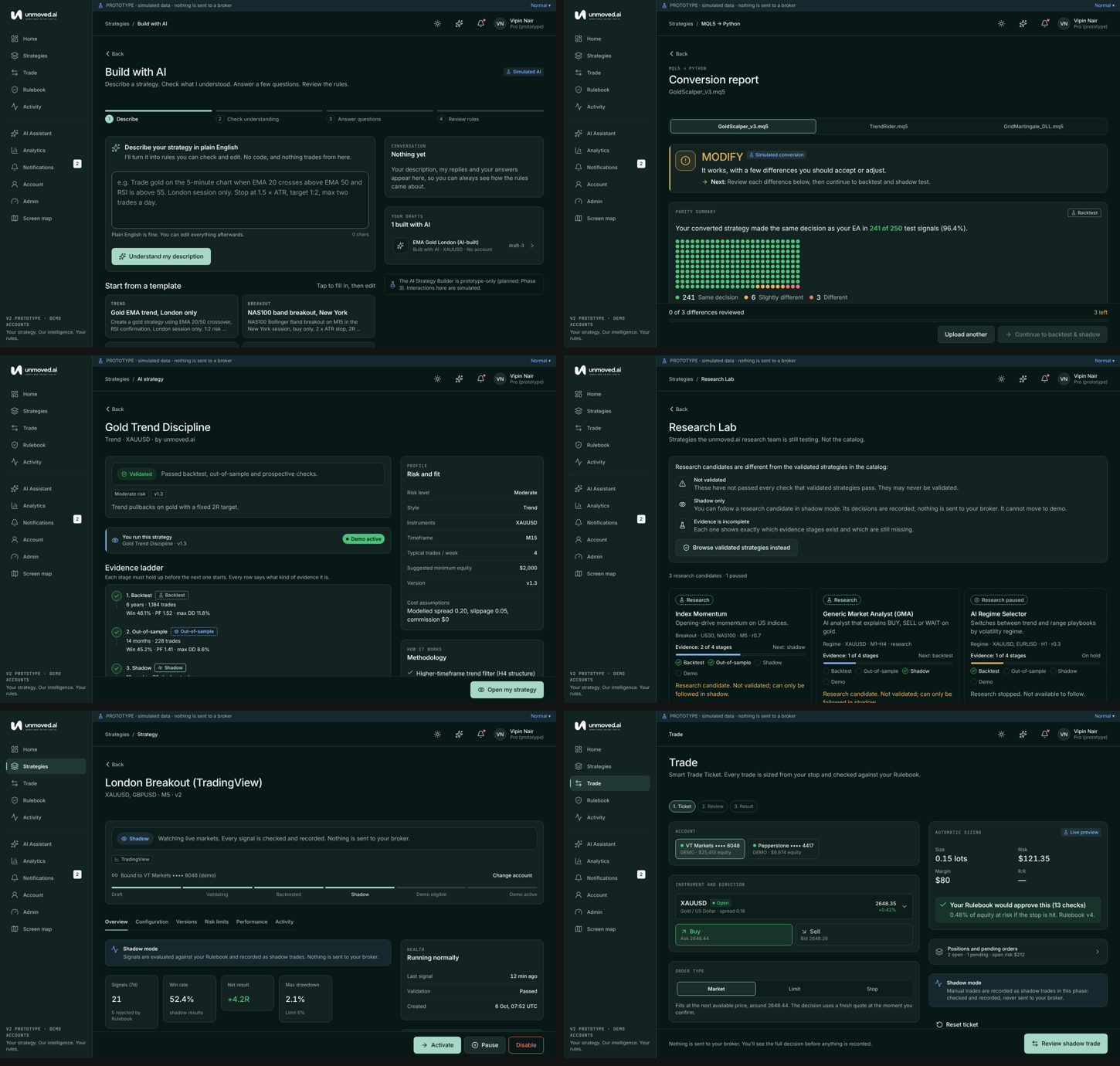
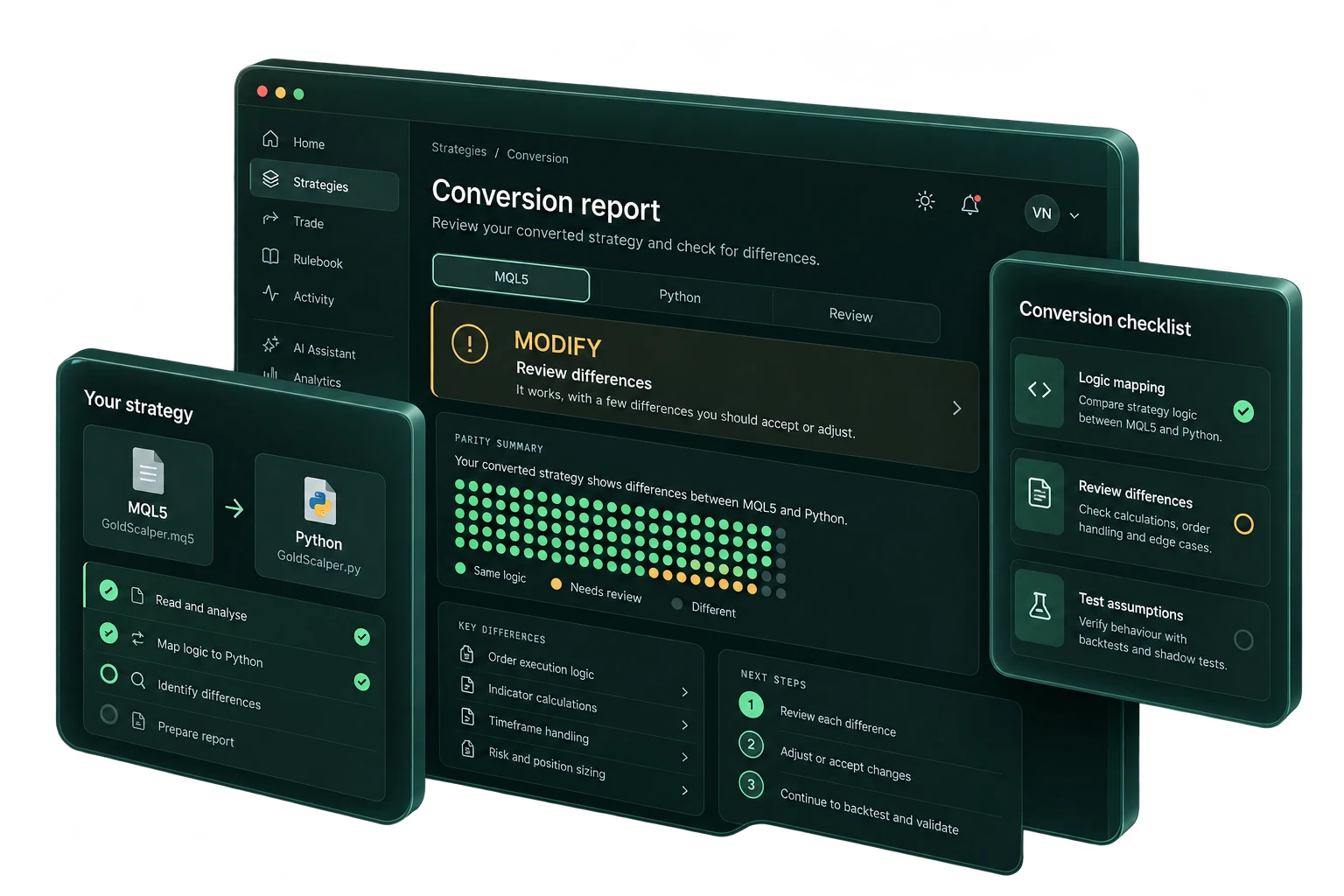
BRING YOUR OWN STRATEGY
You’ve put thought into your strategy. Make that logic visible as you bring it into the workspace.
Review the conversion, examine differences and check the assumptions before moving to testing.
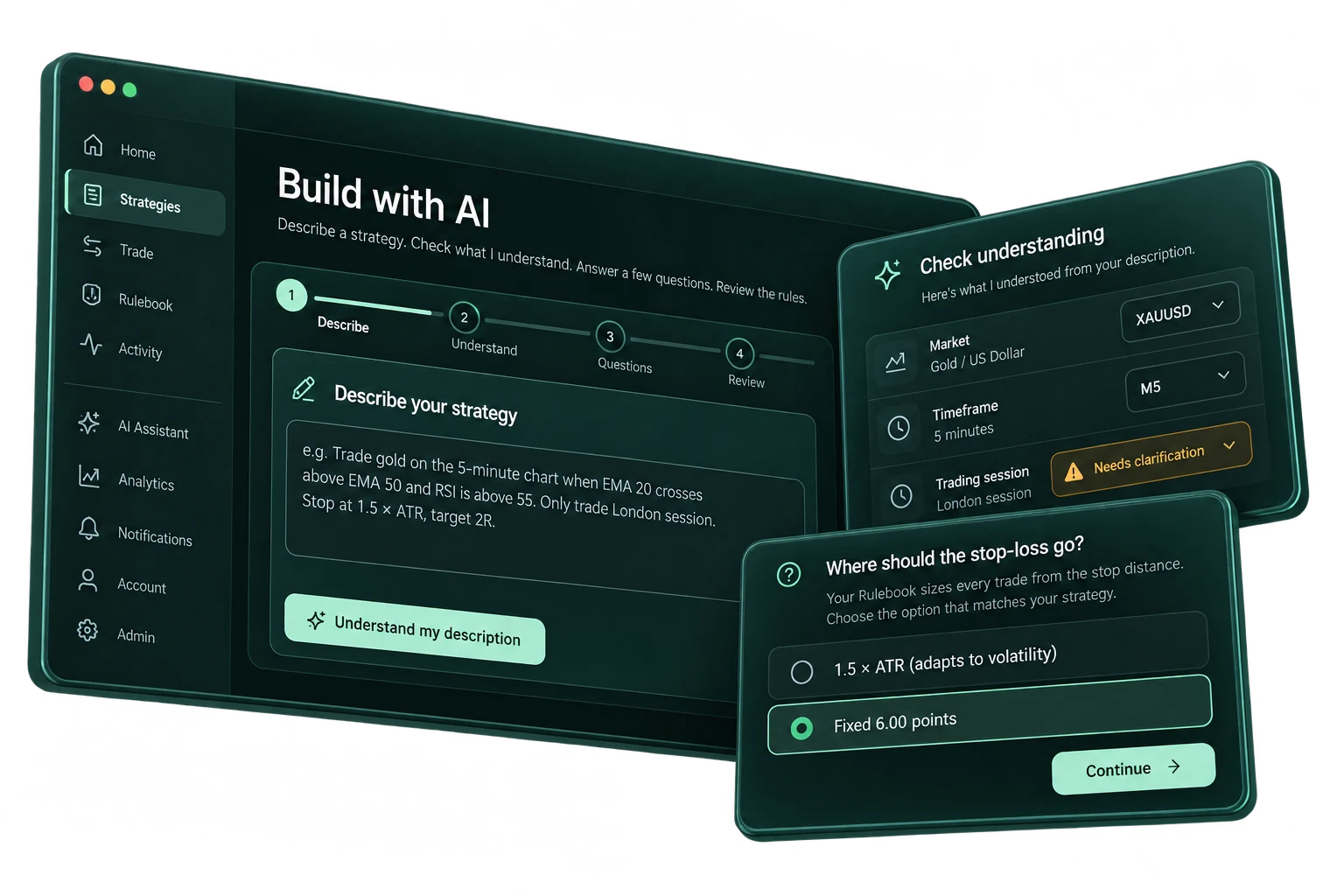
BUILD WITH AI
Describe the strategy in your own words. Check what the builder understood. Work through the questions that make the idea precise.
From market and timeframe to the stop-loss, the details stay visible for your review.
YOUR RULEBOOK
Position sizing. Risk limits. Account conditions.
Put the checks next to the ticket.
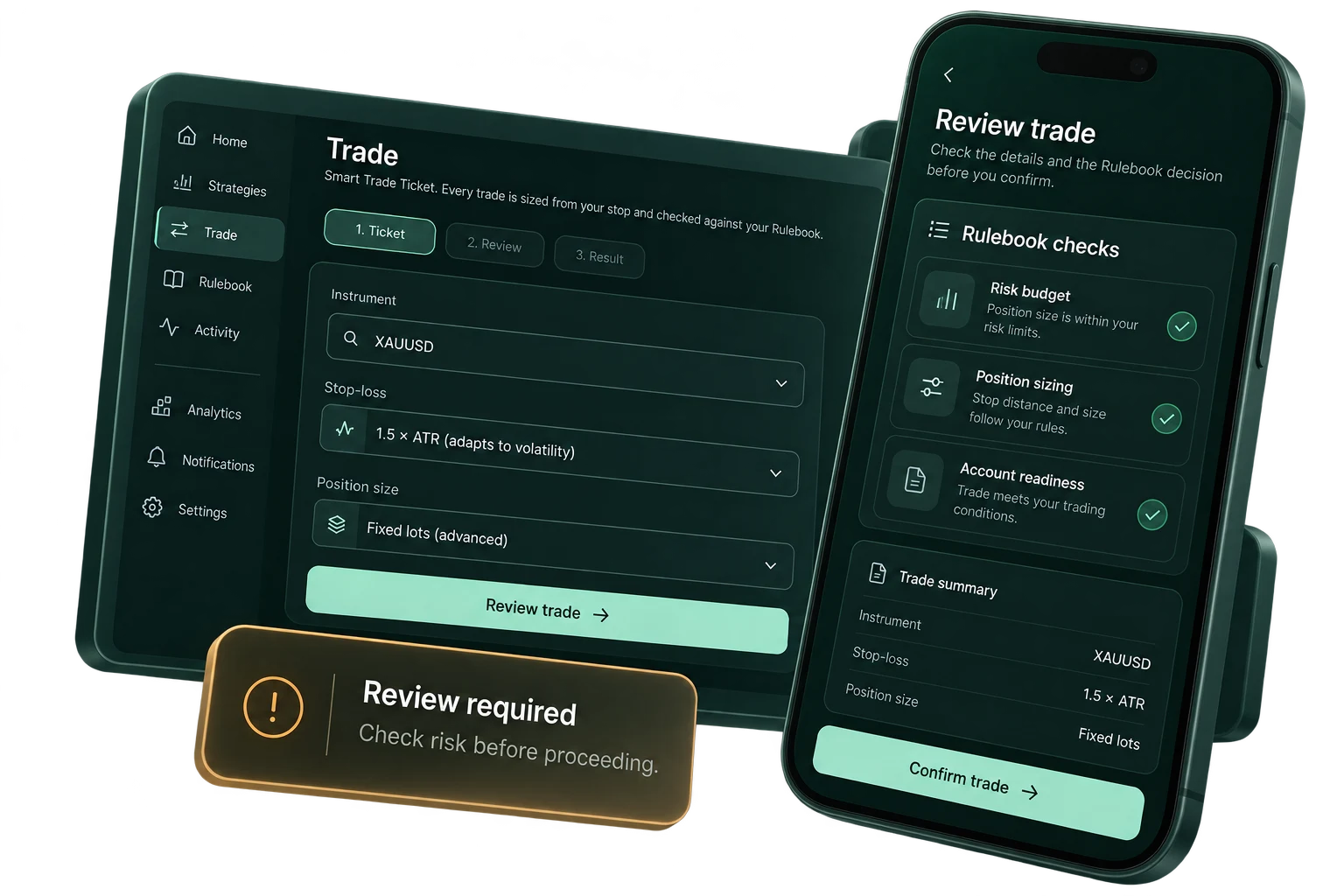
Review the position size in the context of the stop distance and risk budget.
See the risk and account conditions before deciding what happens next.
Understand the review outcome, including when a proposal needs attention.
Risk estimates depend on market and execution conditions. A planned loss limit does not guarantee the realised loss.
SHADOW TESTING & DECISION RECORDS
A strategy is more than its latest signal.
See the stages, checks and decisions around it.
Follow proposed decisions in shadow mode. Review the observations separately from broker execution and keep the evidence in view.
A shadow record is an observation, not a realised trading result.
CLARITY BEFORE PERMISSION
Review the account and provider permissions before connecting a broker. Read how access can be revoked.
Stopping new activity and managing existing positions are different actions. Check the broker state separately.
A proposal, a review decision and a broker-confirmed fill answer different questions. Keep that distinction visible.
STARTER & PRO
BEFORE YOU OPEN THE PLATFORM
Starter and Pro have regional monthly subscriptions. Only an eligible Unmoved AI strategy you explicitly activate carries a 10% performance fee; own strategies and manual trades do not. See Pricing for prices, entitlements, the 14-day no-card Pro trial and commercial terms.
Read the Policy centre, including Cancellation & refunds, before accepting an applicable service schedule.
The product is at app.unmoved.ai. Use the platform for current account access and feature availability.
The workspace includes a bring-your-own-strategy path and conversion review. Check the supported format and any differences in the platform before proceeding to testing.
No. These images are based on the application screens. They explain the workflow; they do not represent customer performance, verified returns or an execution record.
No. Risk controls support the decision process. Gaps, slippage and changing market conditions can affect realised losses. Trading in leveraged products carries a high risk of loss.
A MORE CONSIDERED WAY FORWARD
Start with the process.
Keep your judgement at the centre.